AI Test updates: synthetic users with SUS scoring and more
Synthetic users now run a built-in System Usability Scale survey, frame previews go full-screen during setup, and AI test runs are more reliable end-to-end.
A few updates to AI tests this month — most notably, you can now get a quantitative usability score out of every test run with synthetic users.
Synthetic users with SUS scoring
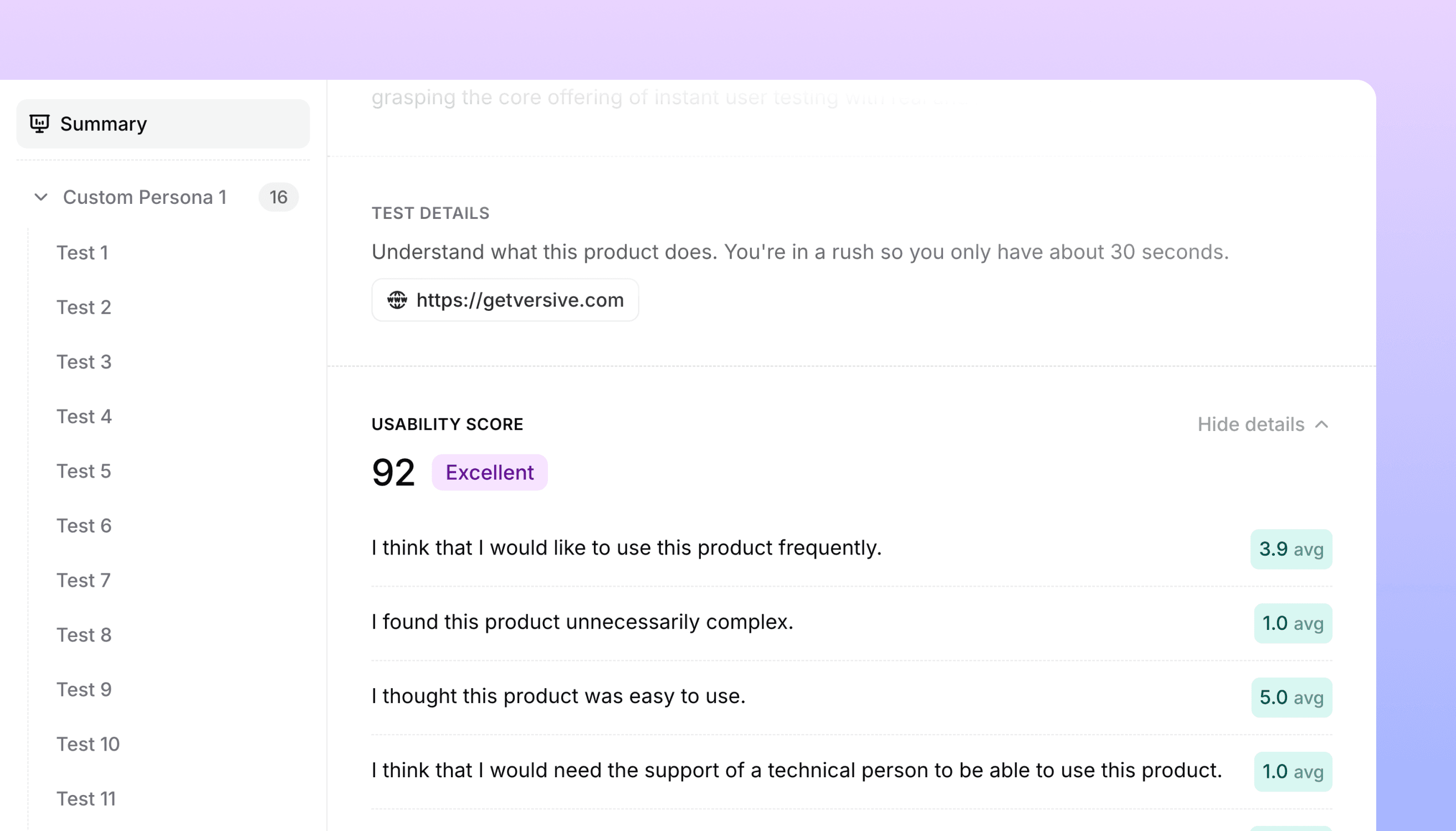
You can now run a SUS (System Usability Scale) survey automatically on the synthetic users you generate for an AI test. SUS is the standard 10-question usability questionnaire that produces a 0–100 score — well-known, widely benchmarked, and useful for comparing designs against each other or against historical baselines.
- Opt in to SUS during AI test creation. The standard 10 SUS questions are pre-populated and editable
- Auto-generated responses at the end of every synthetic test run, so SUS becomes part of the same flow as the rest of the test
- Aggregate scoring in the report — the test results page surfaces the 0–100 score, per-question averages, and sentiment alongside everything else
- Per-respondent detail when you want to see how each synthetic user rated the experience
This is most useful when you want a quick directional signal on a design before putting it in front of real users. Run the AI test, get a SUS score, iterate, run it again, compare. The methodology matches a live SUS survey, so the numbers are comparable to the SUS scores you collect from real participants later.
Full-screen frame previews
When setting up an AI test against Figma frames or uploaded images, you can now click any thumbnail to open it full-screen. Hover any frame to see the maximize button; press Esc to close.
Small but useful when you have several similar-looking frames in a test and need to confirm exactly which one you're attaching to a question.
More reliable AI test runs
We've made AI test runs more resilient to upstream model issues. Runs now recover automatically from rate limits and transient errors instead of failing partway through. There's no UI for any of this — but if you've had test runs fail intermittently in the past, you should see fewer of those.
Get in touch
We're continuing to build features that help you test and learn faster. If you have any questions or feature requests, reach out to us at [email protected]. Want to get started? Sign up today and start running research in minutes.

Eric Li, Co-Founder, Versive