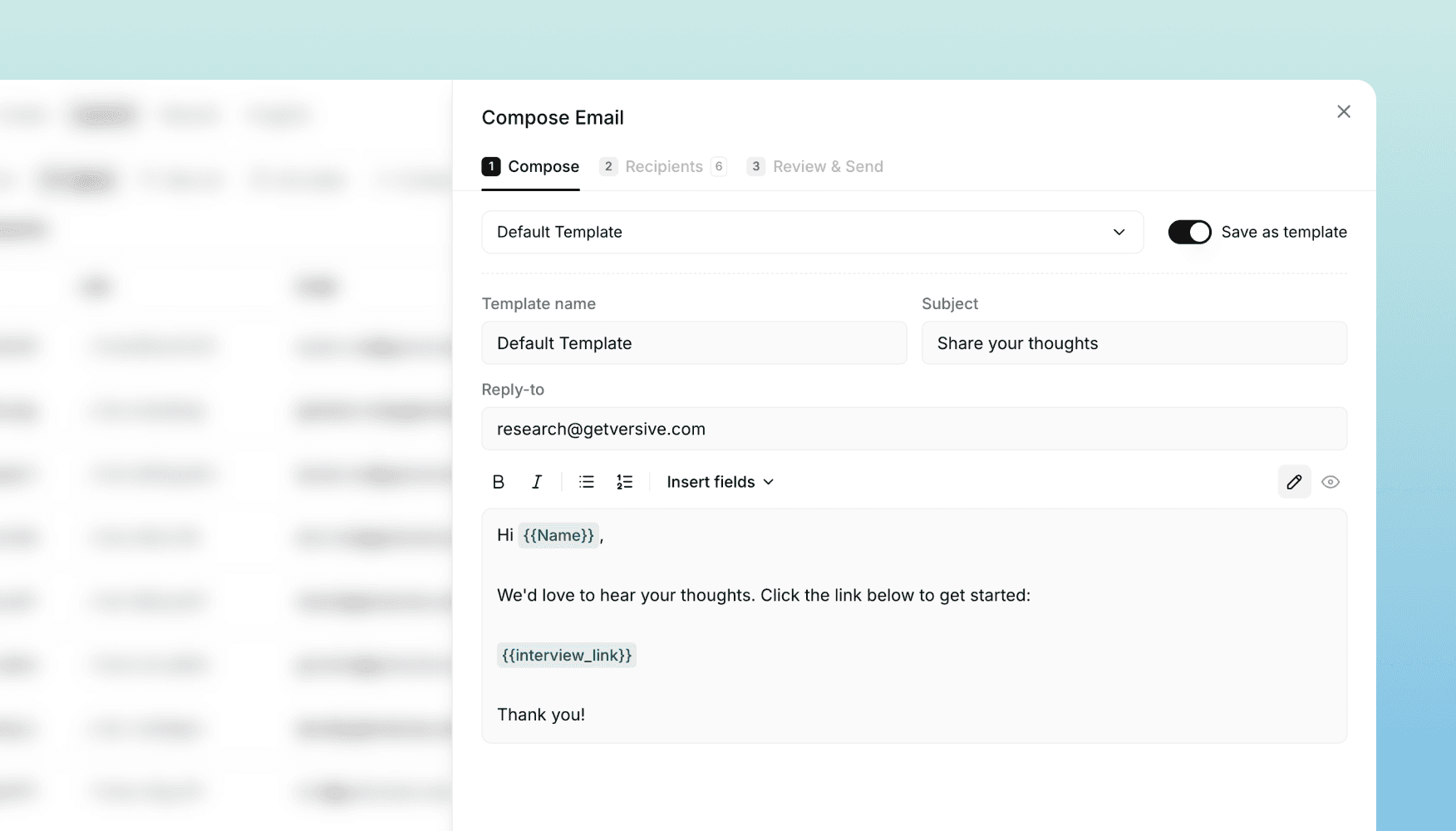
Email Outreach: invite participants from inside Versive
A built-in email outreach tool for inviting and managing study participants — with a rich composer, reusable templates, an audience contact list, and full delivery tracking.
We've added Email Outreach to Versive. You can now invite participants to a study, manage your contact list, and track delivery — all without leaving the platform.
Until now, recruiting from your own audience meant exporting a study link, opening a separate email tool, and pasting in contacts. Email Outreach folds that loop into the Launch tab so a study can go from "ready" to "in the field" in a few clicks.
A real composer for participant invites
Outreach emails aren't transactional notifications — they're the first impression of your research. The composer is built for that.
- Rich text editor with formatting, links, and lists
- Personalization via merge fields like name, email, and interview link, so every recipient gets a tailored message
- Preview mode that shows exactly what a real recipient will see, before you send
- Templates to save the emails you reuse most and load them when you start a new send
Iterate on copy, save what works, reuse it across every study.
Audience: a single contact list
Outreach is backed by a new Audience page — your organization's unified list of people you can email.
- Add, edit, import, and remove contacts with search and filtering
- Automatic status tracking for subscribed, unsubscribed, and bounced contacts. Anyone who unsubscribes or hard-bounces is suppressed from future sends without you having to clean the list
- One-click unsubscribe in every outreach email, so recipients can opt out cleanly and the change reflects in your audience immediately
Your audience grows as a clean, opt-in list over time instead of starting from a fresh CSV every study.
Add participants from your audience to any study
When launching a study, pull in eligible contacts from your audience instead of re-uploading them. Only contacts who are subscribed, not bounced, and not already in the study show up as candidates — and the picker stays fast even with thousands of contacts.
The same audience can feed many studies, with the platform tracking who's already been invited where.
Sending and delivery tracking
When you're ready to send, the recipient picker pulls from the participants in your study who are eligible to receive email.
- Personalized batch sending — every email is rendered against that recipient's data and delivered as an individual message
- Send history with stats per batch: sent, delivered, opened, bounced
- Monthly send limits are enforced per plan, with usage and limits visible in your settings
Available now
Email Outreach is live for all customers on plans that include outreach sending. Open any study, head to the Launch tab, and click Send to try it.
If you're managing your own panel for research — internal users, customers, or a recruited list — this should save you a tool and a lot of copy-paste.
Get in touch
We're continuing to build features that help you test and learn faster. If you have any questions or feature requests, reach out to us at [email protected]. Want to get started? Sign up today and start running research in minutes.

Eric Li, Co-Founder, Versive