Study updates: bulk transcript exports, device checks, and wildcard embeds
A bulk transcript download from the results page, a pre-interview device check for participants, multi-select question templates, wildcard embed domains, and a stack of prototype task fixes.
A roundup of improvements to live studies — from how participants enter an interview, to what they can embed it in, to how you get the data back out at the end.
Bulk transcript download
The results page now has a one-click bulk transcript export. Previously, getting transcripts out meant downloading them one interview at a time.
- Zip download button sits next to the CSV export on the results toolbar
- Markdown or Word as the export format
- Respects your active filters, so the zip contains exactly the set of interviews currently visible in the table
- Each file has the same content as the single-transcript download: metadata, AI summary, durations, and the full Q&A transcript
This is the fastest path from a finished study to a folder of writeups you can share with a stakeholder, archive in your research repository, or feed into a separate analysis tool.
Pre-interview device check
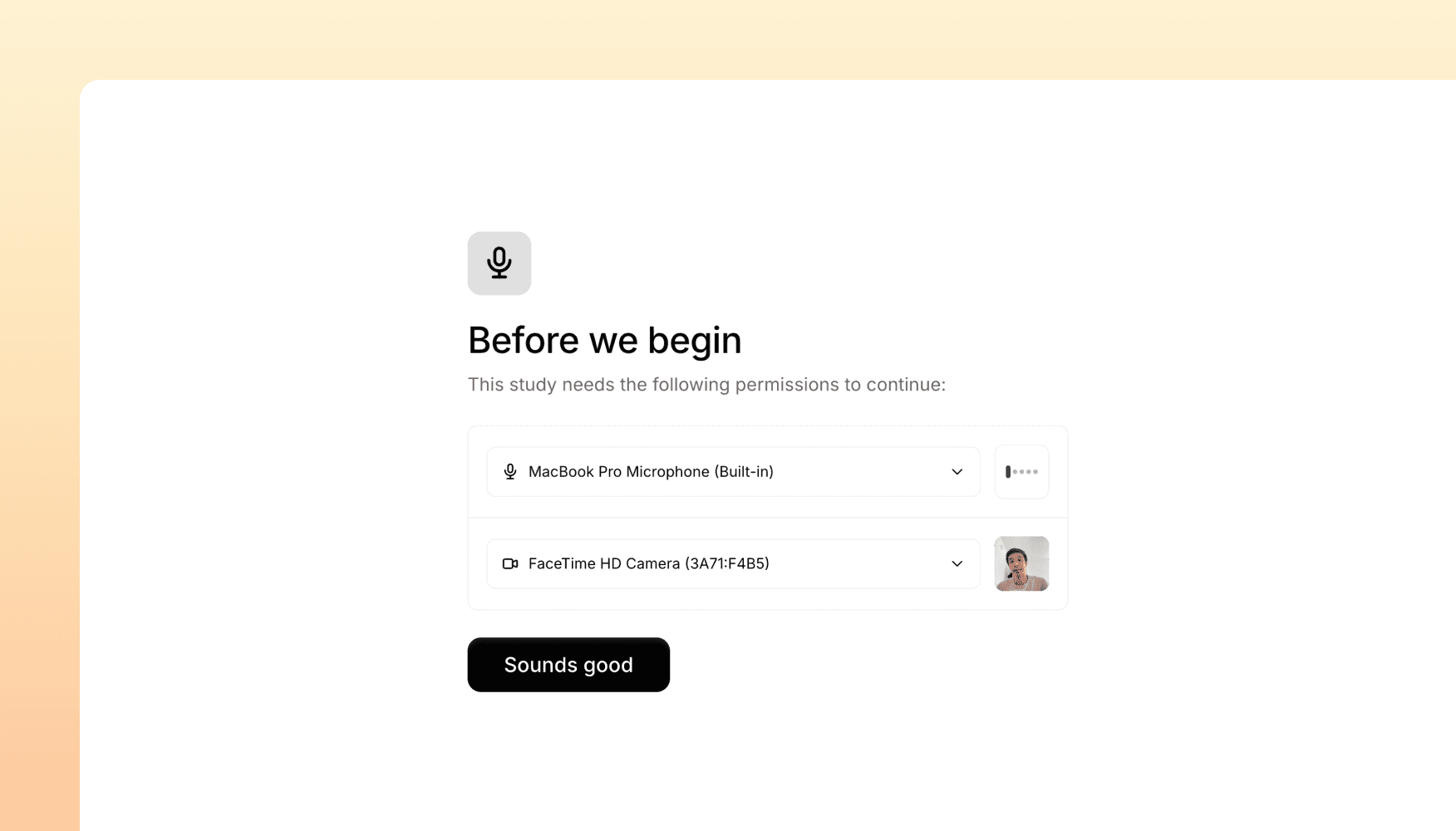
Voice and video interviews now start with a device check screen so participants can confirm their microphone and camera before the interview begins. This catches one of the most common causes of bad recordings — a wrong default device on the participant's machine — before they've spent time answering questions.
The screen lets participants:
- Pick a microphone and camera from the available options on their device
- See live audio levels with real-time warnings if input is too low to be usable
- Recover gracefully when the browser blocks access or no devices are available
- See it in their language — the device check is translated into every language Versive supports
For voice interviews especially, this should noticeably improve the share of interviews that produce a clean, transcribable recording.
Multi-select question templates
Building studies from the Question Library is now multi-select. Pick the templates you want — selecting and deselecting cards as you go — and add them all in one click instead of opening the dialog once per question.
The library's empty states have also been improved, with clearer messages when a category, search, or your library itself has no templates yet.
Wildcard embed domains
You can now allow an entire subdomain pattern to embed your studies. In Embed Settings, add an origin like https://*.example.com and Versive will accept any matching subdomain.
This is useful for teams using tools that serve content from many subdomains under one parent — Notion, Monday, Confluence, internal portals, multi-tenant SaaS apps. One wildcard entry covers them all.
Get in touch
We're continuing to build features that help you test and learn faster. If you have any questions or feature requests, reach out to us at [email protected]. Want to get started? Sign up today and start running research in minutes.

Eric Li, Co-Founder, Versive