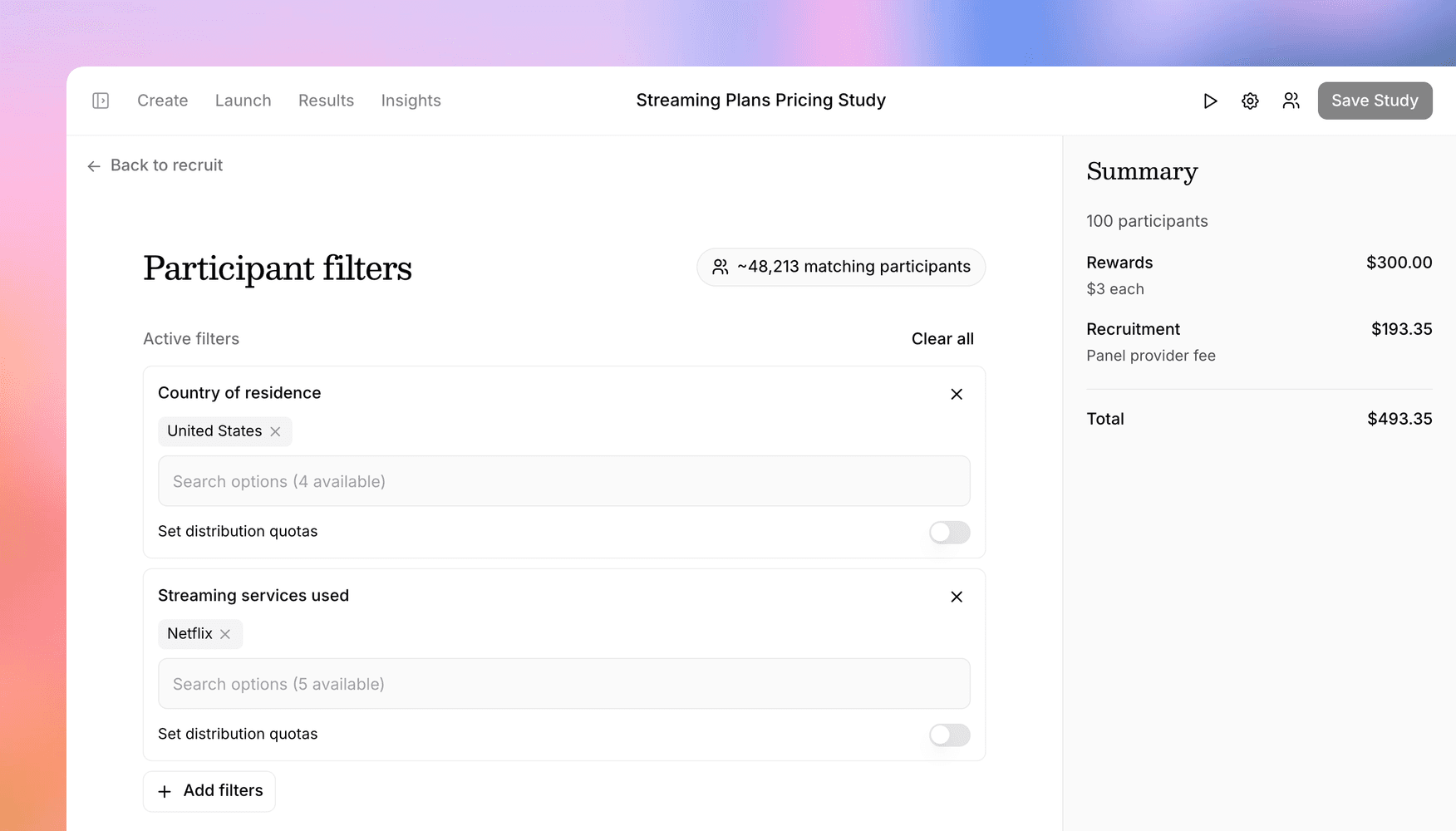
Recruit from Prolific, and give every channel its own link
Prolific joins Versive as a panel provider, letting you target, price, and launch panels without leaving the app, and new participant sources give each recruiting channel its own link and redirects.
Finding the right participants is still the slowest part of most research projects. Two launches this month make recruiting through Versive faster and more flexible: a full Prolific integration, and participant sources for studies that recruit from more than one place.
Recruit directly from Prolific
Prolific is one of the most trusted participant pools in research, known for vetted, attentive participants. It's now built into Versive as a panel provider: you can go from a finished study to a live Prolific panel without leaving the app:
- Create your panel right from the study's recruit flow
- Target precisely with Prolific's full library of demographic and screening filters, searchable so you can find "uses project management software weekly" as fast as "age"
- See pricing up front before you publish, so there are no surprises
- Launch, pause, and resume the panel as responses come in
Once responses arrive, review happens in Versive too: see each submission alongside its interview, approve or reject individually, or bulk-approve everything that passed. Completion codes and redirects back to Prolific are wired up automatically, so participants get credited without any manual bookkeeping on your end.
Give every recruiting channel its own link
Most real studies don't recruit from just one place. You might run a Prolific panel and invite your own customers by email. Until now, one study meant one set of exit behaviors for everyone.
Participant sources fix that. Define named sources for a study, like "Prolific," "Newsletter," or "In-app," and each one gets:
- Its own share link, so you always know which channel a response came from
- Its own redirects per outcome: where participants go when they complete, screen out, or hit a full quota
That means panel participants can be sent back for payment while your customers land on a branded thank-you page, from the same study with no duplicated setup. Links carry participant IDs through to your redirect URLs for easy reconciliation, and studies without sources behave exactly as they always have.
You'll find Prolific in the recruit tab and sources under Launch → Link in your study.
Get in touch
We're continuing to build features that help you learn faster. If you have any questions or feature requests, reach out to us at [email protected]. Want to give it a try? Start a free trial and start running research in minutes.

Eric Li, Co-Founder, Versive